PC gaming is one of the most exciting and versatile forms of gaming available today. Unlike consoles, which come with fixed hardware and limited customization options, gaming PCs allow players to tailor their experience according to their budget, performance needs, and personal preferences. Whether you want to play competitive esports titles at high frame rates, enjoy immersive open-world adventures, or explore the latest AAA releases with stunning graphics, PC gaming offers endless possibilities.
However, for beginners, entering the world of PC gaming can feel overwhelming. There are countless hardware components, graphics settings, gaming platforms, accessories, and technical terms that may seem confusing at first. Terms like FPS, GPU, refresh rate, SSD, ray tracing, and DLSS are often thrown around in gaming discussions, making newcomers wonder where to start.
The good news is that PC gaming is easier to learn than ever before. This guide covers everything beginners need to know, from choosing hardware and buying games to optimizing performance and avoiding common mistakes.
What Is PC Gaming?
PC gaming refers to playing video games on a personal computer rather than on a dedicated gaming console.
A gaming PC can range from:
- Entry-level budget systems
- Mid-range gaming machines
- High-end enthusiast builds
Unlike consoles, PCs can be upgraded over time, allowing players to improve performance without replacing the entire system.
Benefits of PC gaming include:
- Better graphics
- Higher frame rates
- Large game libraries
- Customization options
- Mod support
- Access to both new and classic games
These advantages have made PC gaming one of the most popular gaming platforms in the world.
Understanding Basic PC Gaming Hardware
Before buying games or adjusting settings, it is important to understand the main components inside a gaming PC.
CPU (Processor)
The CPU acts as the brain of the computer.
It handles:
- Game calculations
- Artificial intelligence
- Physics
- Background tasks
Popular gaming CPU manufacturers include:
- AMD
- Intel
A strong CPU helps maintain stable performance, especially in large open-world and multiplayer games.
GPU (Graphics Card)
The Graphics Processing Unit is the most important component for gaming.
The GPU is responsible for:
- Rendering graphics
- Creating visual effects
- Producing high frame rates
Popular GPU manufacturers include:
- NVIDIA
- AMD
- Intel
The graphics card has the biggest impact on gaming performance.
RAM (Memory)
RAM temporarily stores data that games need while running.
Modern recommendations:
- 8GB minimum
- 16GB recommended
- 32GB for advanced users
More RAM allows smoother multitasking and better overall performance.
Storage
Storage devices hold your operating system, games, and files.
There are two main types:
HDD (Hard Disk Drive)
- Cheaper
- Slower
- Larger capacities
SSD (Solid State Drive)
- Faster
- More responsive
- Shorter loading times
Most modern gamers prefer SSDs.
Motherboard
The motherboard connects all components together.
While important, beginners generally don’t need to focus heavily on motherboard specifications initially.
Power Supply (PSU)
The power supply provides electricity to all components.
A quality PSU helps ensure system stability and reliability.
Gaming PC vs Console
Many beginners wonder whether they should choose a gaming PC or a console.
Advantages of PC Gaming
- Better graphics
- Higher FPS
- Keyboard and mouse support
- Modding capabilities
- Upgradable hardware
- Larger game libraries
Advantages of Consoles
- Simplicity
- Lower initial cost
- Easy setup
While consoles are easier to use, gaming PCs offer greater flexibility and long-term value.
Essential PC Gaming Terminology
Understanding common gaming terms helps beginners navigate the PC gaming world.
FPS (Frames Per Second)
FPS measures how many images your computer displays every second.
Common targets:
- 30 FPS
- 60 FPS
- 120 FPS
- 144 FPS
Higher FPS provides smoother gameplay.
Resolution
Resolution determines image clarity.
Common resolutions include:
- 720p
- 1080p
- 1440p
- 4K
Higher resolutions require more powerful hardware.
Refresh Rate
Measured in Hertz (Hz), refresh rate indicates how many times a monitor updates each second.
Common refresh rates:
- 60Hz
- 120Hz
- 144Hz
- 240Hz
Higher refresh rates create smoother motion.
Ping
Ping measures network latency.
Lower ping results in better online gaming performance.
Choosing Your First Gaming PC
Beginners often struggle with selecting the right gaming PC.
Budget Gaming PCs
Suitable for:
- Esports games
- Older titles
- Casual gaming
Mid-Range Gaming PCs
Ideal for:
- Modern AAA games
- 1080p and 1440p gaming
- High settings
High-End Gaming PCs
Designed for:
- Maximum settings
- Ray tracing
- 4K gaming
- High refresh rates
Most beginners are best served by a mid-range gaming PC.
Essential Gaming Peripherals
Your gaming experience depends not only on the PC itself but also on your peripherals.
Gaming Monitor
A good monitor provides:
- Better image quality
- Faster response times
- Higher refresh rates
Gaming Keyboard
Mechanical keyboards are popular because they offer:
- Faster response
- Durability
- Better typing experience
Gaming Mouse
A quality gaming mouse improves:
- Precision
- Accuracy
- Comfort
Gaming Headset
Headsets help players:
- Hear enemy footsteps
- Communicate with teammates
- Enjoy immersive sound
Where to Buy PC Games
Several digital platforms allow gamers to purchase and download games.
Steam
The largest PC gaming platform.
Features include:
- Massive game library
- Frequent sales
- Community features
Epic Games Store
Known for:
- Free weekly games
- Exclusive releases
GOG
Popular for:
- DRM-free games
- Classic titles
Xbox App
Provides access to many PC games through subscription services.
Understanding Game Settings
Every PC game includes graphics settings.
Important options include:
Texture Quality
Controls surface detail.
Shadow Quality
Impacts realism and performance.
Anti-Aliasing
Smooths jagged edges.
View Distance
Determines how far objects render.
Resolution
Affects image clarity and FPS.
Beginners should experiment with settings to find a balance between visuals and performance.
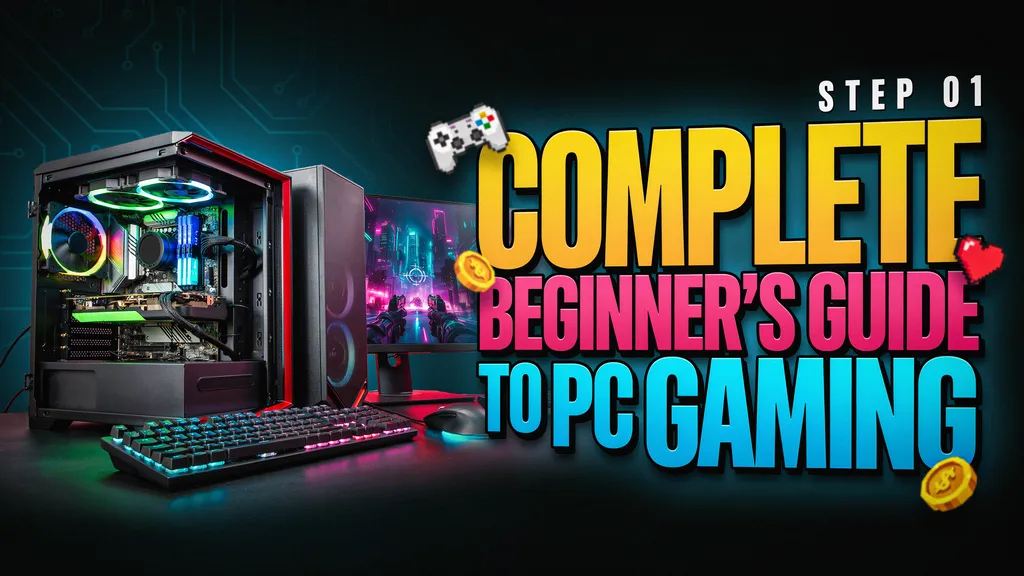
How to Improve Gaming Performance
Even powerful PCs benefit from optimization.
Update Drivers
Always install the latest graphics drivers.
Close Background Programs
Shut down unnecessary applications before gaming.
Keep Windows Updated
System updates often improve compatibility and security.
Monitor Temperatures
Avoid overheating by keeping your PC clean and well ventilated.
Use SSD Storage
Installing games on SSDs improves loading speeds significantly.
Online Gaming Basics
Online gaming allows players to compete or cooperate with others worldwide.
Popular genres include:
- First-person shooters
- Battle royale games
- MMORPGs
- Racing games
- Sports games
For the best online experience:
- Use a stable internet connection
- Prefer wired Ethernet when possible
- Minimize background downloads
Understanding Mods
Mods are player-created modifications that change games.
Mods can:
- Improve graphics
- Add content
- Fix bugs
- Introduce new gameplay mechanics
Many PC gamers enjoy mods because they extend a game’s lifespan significantly.
Common Beginner Mistakes
Buying Hardware Without Research
Always compare specifications before purchasing.
Using Ultra Settings on Weak Hardware
Lower settings often provide a much better experience.
Ignoring Drivers
Outdated drivers can cause crashes and poor performance.
Neglecting Cooling
Proper airflow is essential for stable gaming.
Spending Too Much Initially
Start with a balanced system and upgrade later if needed.
Popular Genres for New PC Gamers
Action Games
Fast-paced and exciting.
RPGs
Focus on storytelling and character progression.
Strategy Games
Require planning and decision-making.
Simulation Games
Replicate real-world activities.
Multiplayer Games
Allow competition and cooperation with other players.
Trying multiple genres helps beginners discover their preferences.
Why PC Gaming Continues to Grow
PC gaming has become increasingly popular because it offers:
- Hardware flexibility
- Better graphics
- Larger game libraries
- Frequent sales
- Competitive gaming opportunities
- Modding support
With modern hardware becoming more accessible, more players are choosing PC gaming than ever before.
Frequently Asked Questions
Is PC gaming expensive?
Not necessarily. Budget gaming PCs can provide excellent experiences for many popular games.
How much RAM do I need?
16GB is currently the recommended amount for most gamers.
Can I play games without a graphics card?
Some games can run on integrated graphics, but a dedicated GPU greatly improves performance.
Is Steam free?
Yes. Creating a Steam account is free, although games usually require purchase.
What FPS should I aim for?
Most gamers target at least 60 FPS for smooth gameplay.
Conclusion
PC gaming may seem complicated at first, but once you understand the basics, it becomes one of the most rewarding gaming platforms available. From choosing hardware and purchasing games to optimizing settings and exploring online communities, PC gaming offers unmatched flexibility and customization.
Beginners don’t need the most expensive hardware to enjoy great gaming experiences. A balanced system, a willingness to learn, and a few optimization techniques are often enough to start enjoying modern games smoothly. As you gain experience, you’ll better understand hardware, graphics settings, upgrades, and game genres, allowing you to tailor your setup to your own gaming style.
Whether you’re interested in competitive esports, immersive role-playing adventures, racing simulations, or casual multiplayer fun, PC gaming offers endless opportunities for entertainment and growth. The journey starts with learning the fundamentals, and this guide provides the perfect foundation for becoming a confident PC gamer.